Getting started
IPTV trial checklist: what to test in 24 hours
An IPTV trial checklist for the first 24 hours: peak-time playback, channel switching, EPG time zone, catch-up, audio sync and the limits to expect.
In short: the IPTV trial checklist
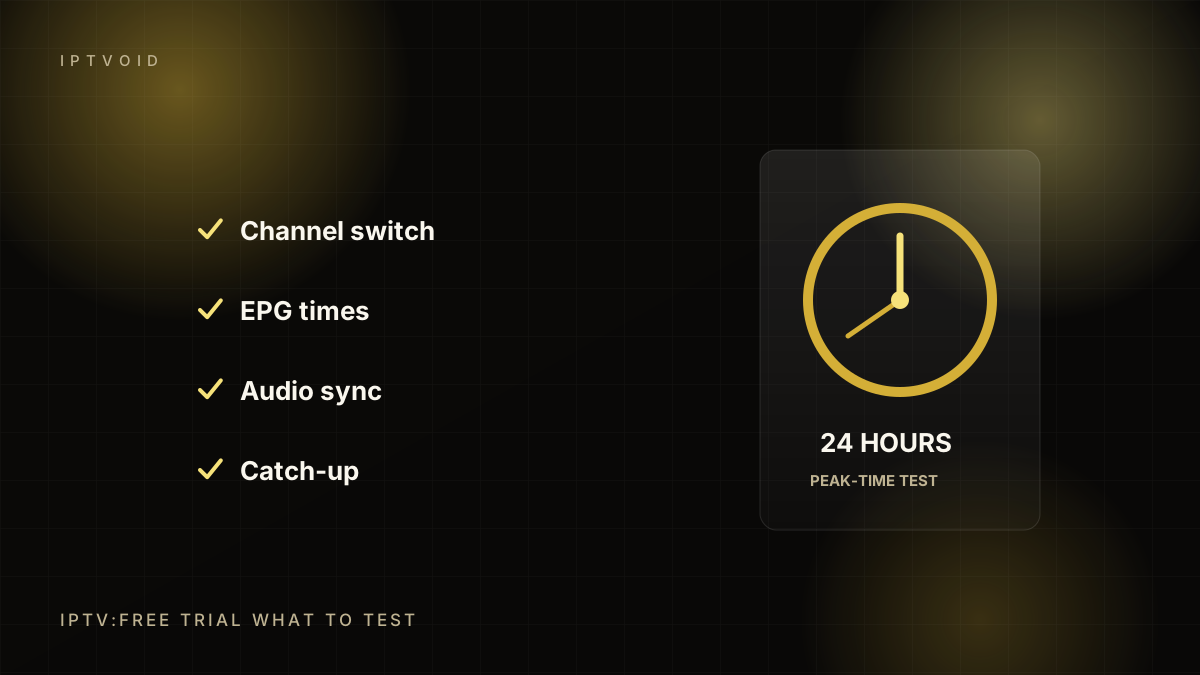
Use an IPTV free trial to test peak-time playback, channel switching, EPG accuracy, catch-up, audio sync and your actual device. Test between 19:00 and 23:00, not during the day. A trial cannot prove long-term reliability, but it exposes most device and setup problems before you pay. An IPTV trial is a test, not a demo. Use the IPTV trial to check peak-time playback, channel switching, EPG time zones and audio sync, then compare the IPTV trial notes with what the provider promised.
Why the first 24 hours matter
A trial is not a formality. It is the only chance to see how the service behaves on your device, on your network, at the time you actually watch. Most IPTV problems are visible within an evening of real use.
The goal is not to prove the service is perfect. The goal is to find out whether it works well enough for the channels and devices you care about, and whether support can help when something breaks.
Set a baseline before you start
Before the trial, note:
- Your internet plan's download speed
- Whether your device uses Wi-Fi or Ethernet
- The player app and version you will use
- The two or three channels you watch most
- The device you will really use, not the newest one in the house
This baseline makes the test reproducible. If something fails, you can change one variable at a time.
Test 1: peak-time playback
Start at 19:30 local time and watch for at least 45 minutes. This is when networks and streaming servers are busiest. Look for:
- How long the stream takes to start
- Whether it buffers repeatedly or once
- Whether the picture quality drops and recovers
- Whether audio stays in sync
- Whether the stream recovers by itself after a glitch
One buffer in 45 minutes is normal on a home connection. Buffering every few minutes is not.
Test 2: channel switching
Switch between ten channels you would actually watch. Note the delay. A good player should switch in a few seconds. If every change takes 15 seconds, the experience will feel slow even when the stream itself is stable.
Also switch between standard and HD versions of the same channel, if both exist. The HD feed should start within a similar time.
Test 3: programme guide accuracy
Open the EPG and check three things:
- Does it load at all?
- Does the programme name match what is on screen?
- Is the timezone correct?
An empty or offset guide is a setup problem, not necessarily a service problem. Ask support which field or URL to use. How quickly they answer tells you a lot.
Test 4: catch-up and replay
Pick a channel that offers catch-up and play a programme from yesterday. Not every channel has catch-up, and not every provider includes it. If it is part of what you are paying for, test it during the trial.
Test 5: the quality ceiling
If you have a 4K device and a fast connection, test a 4K feed. If not, test the HD feed and check whether the player can display the stream's actual resolution. A channel labelled 4K is not proof of a 4K bitrate.
A useful test is to watch fast motion: a live sport, a news ticker or an action scene. Compression problems show up in fast movement and dark scenes, not in a static studio shot.
Test 6: multi-device behaviour
If you are considering a multi-device plan, test whether two streams can play at once during the trial. Ask support whether the trial covers the same number of connections as the plan you intend to buy. Some trials are single-connection only.
Test 7: support response
Send one specific question during the trial. For example: "The guide is two hours behind on my Fire TV Stick. Which setting fixes it?" Note the response time and whether the answer is specific to your player.
Support is part of the product. A provider that ignores a trial question will not improve after you pay.
What a trial cannot tell you
A trial cannot prove:
- That the service will be stable next month
- That a specific league or event will be available all season
- That the provider will keep the same channel line-up
- That support will stay responsive at scale
It can prove that your device, player, network and login work together. That is the majority of setup risk.
A simple scorecard
| Test | Pass | Fail |
|---|---|---|
| Peak-time playback | Under 5s start, no repeated buffering | Buffers every few minutes |
| Channel switching | Under 5s | 15s or more |
| EPG | Loads, matches, correct timezone | Empty or offset |
| Catch-up | Plays a recent programme | Missing or errors |
| 4K (if relevant) | Stable for 10 minutes | Constant quality drops |
| Second device | Plays simultaneously | Login rejected |
| Support | Specific reply within a reasonable time | No reply or generic answer |
Five passes out of seven is a reasonable bar. A failure on peak-time playback or support is a reason to walk away.
If the trial fails
Change one thing at a time. Try Ethernet instead of Wi-Fi. Try a different player. Clear the app cache. Restart the device. Then retest at the same time of day.
If it still fails, tell support what you changed. A provider that can diagnose the problem is worth keeping. A provider that blames your internet without evidence is not.
Turning a trial into a plan
If the trial passes, choose the shortest paid term that fits your needs. You can always extend later. The trial has already done the important job: it told you whether the service works where you live.
Frequently asked questions
How long should an IPTV free trial last?
Long enough to cover one evening of peak-time viewing. 24 to 72 hours is typical. A trial that only works during the day does not test the conditions you will actually watch in.
What should I do if the EPG is empty during the trial?
Ask support which EPG field or URL your player needs, then reload the guide. An empty guide is usually a configuration issue. If support cannot fix it during the trial, assume it will not be fixed after you pay.
Can I test 4K on an IPTV trial?
Only if your device, player and connection support 4K and the trial includes 4K feeds. Check the stream resolution in the player rather than trusting a channel label. Fast-motion content is the best test.
Keep reading
Choosing an IPTV provider without getting burned
A practical checklist for choosing an IPTV provider in 2026: trials, payment risk, support tests, device support, EPG quality and red flags.
IPTV on a Fire TV Stick: the setup that works
A practical Fire TV Stick IPTV setup guide: choosing a stick, installing a player, entering your login, loading the EPG and fixing buffering.
4K IPTV: what 4K actually means for live TV
What 4K means for IPTV in practice: resolution vs bitrate, HDR, bandwidth needs, upscaling, sports artefacts and how to verify a real 4K stream.
Next step
Put the advice into practice
Start with a free trial, test at peak time, then choose the device count and term that fit your household.