Fire TV
IPTV Firestick: the honest setup checklist
IPTV Firestick setup is the cheapest way into IPTV for most households, and a common source of avoidable buffering. The device is capable; the weak points are Wi-Fi, storage and the player you choose.
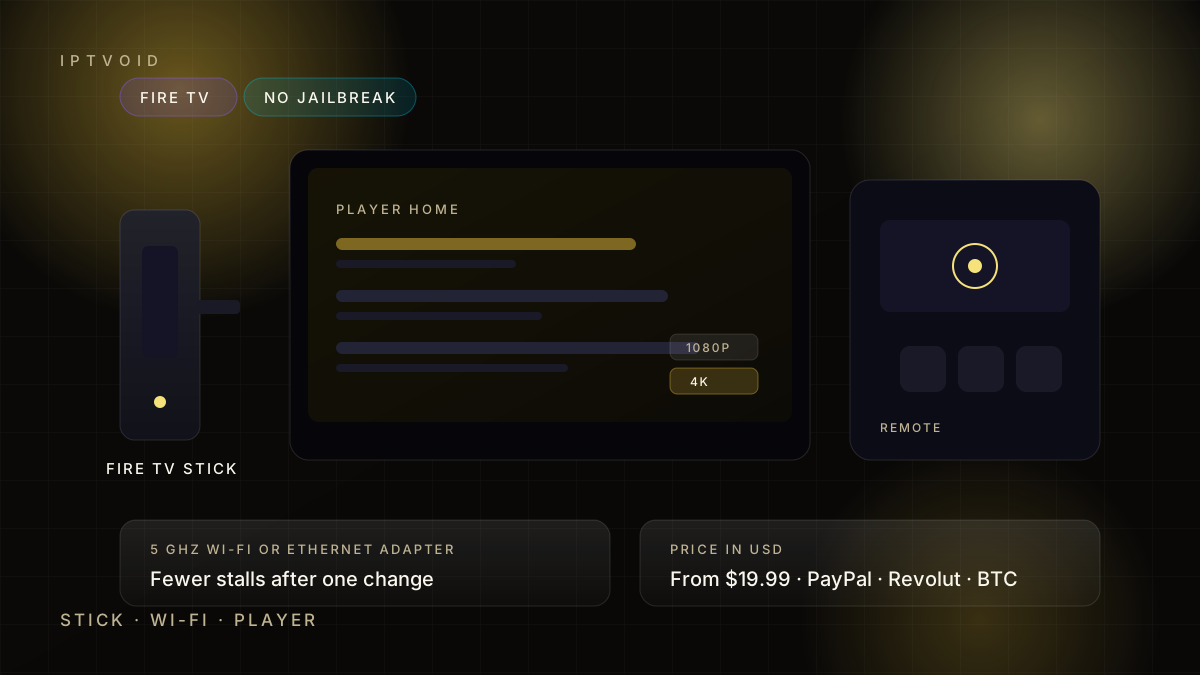
Quick answer
IPTV Firestick setup works without jailbreaking anything: install a compatible player from an official source, sign in with the IPTV subscription login and test a live channel at peak time. The Fire TV Stick Lite is fine for 1080p, while a 4K model has more headroom for 4K and busier apps. IPTVOID plans start at $19.99 in USD only, activated over WhatsApp, with a free trial before payment.
Firestick or Fire TV Stick? The same device
"Firestick" is the common shorthand for Amazon's Fire TV Stick. The device plugs into an HDMI port, connects to Wi-Fi and runs apps from Amazon's ecosystem. A normal IPTV Firestick setup has no secret mode and no jailbreak involved.
The safe path is boring: install a compatible player from the Amazon Appstore or the developer's official source, follow Amazon's current policy for your model, and sign in with the login your provider supplies. Avoid random APK files from video descriptions. Sideloaded software can carry malware, break after an update and void the warranty you paid for.
Which IPTV Firestick model makes sense
Amazon changes model names and specifications often, so check the current listing before buying. Wikipedia keeps an overview of Amazon Fire TV models if you want to compare generations. The practical split is simple:
- Fire TV Stick Lite is a 1080p device. It is enough for one HD screen and the lowest entry cost.
- Fire TV Stick 4K adds 4K output and a faster wireless path. It is the sensible default for a main television.
- Fire TV Stick 4K Max adds more memory and faster Wi-Fi on recent generations. It helps when the router is busy or several apps run at once.
Do not buy a 4K stick for a 1080p television and expect a different picture. The panel sets the ceiling; the stick only has to feed it.
Wi-Fi is the bottleneck
Most IPTV Firestick buffering is a wireless problem. The stick sits behind a television, often against a wall, sometimes inside a cabinet. That is a poor place for an antenna.
Try these in order:
- Move the stick to the television HDMI port with the clearest line to the router, or use the short HDMI extender in the box.
- Connect to the 5 GHz band rather than 2.4 GHz.
- Use Amazon's Ethernet adapter if the router is close enough for a cable.
- Use a powerline adapter only if the electrical circuit is clean; a bad CPL link is worse than good Wi-Fi.
- Test again at peak time, because a quiet afternoon proves very little.
A cheap cable or adapter fixes more cases than any player setting.
Storage and background apps
Base Fire TV Stick models have limited storage. An IPTV Firestick with a full drive will start closing apps or stuttering, because the player, a browser and a few streaming apps all compete for the same space.
Remove apps you do not use, clear the player cache, and restart the stick properly rather than pulling the power. If the device is several years old and struggles with one app at a time, a newer model is a more honest fix than another round of settings.
The player matters as much as the stick
The subscription is an account; the player is the app that reads it. A compatible player needs to accept an Xtream Codes login or an M3U playlist, show a programme guide and remember your favourites.
Our player guides cover the common options, and the Fire TV setup walkthrough goes step by step. Install one player first. Adding three players to compare them usually creates confusion about which login is active and which cache is stale.
IPTV Firestick: what to test in the first ten minutes
- Open one live channel at 20:00 or 21:00, not at noon.
- Watch five minutes, switch to another channel, then switch back.
- Open the guide and confirm the times match your time zone.
- Check audio sync on a channel with speech, not just music.
- Start a second stream if your plan covers more than one device.
If the picture recovers in a second or two, the setup is usable. If every switch freezes for thirty seconds, the problem is the line, the Wi-Fi path or the provider feed, and a longer plan will not fix it.
Price and payment
IPTVOID plans start at $19.99 for one device and one month and run to $199.99 for four devices and twelve months. Every price is in USD, with no display currency to switch and no auto-renewal.
Payment is by PayPal Friends and Family, Revolut or BTC. The site does not accept cards, and support will never ask for a card number, a bank password or a wallet seed phrase. For BTC, the address and QR code are issued inside the official WhatsApp chat; compare them carefully before sending.
What this page does not promise
It does not promise free premium channels, a jailbroken device, a channel count or rights to any competition. IPTVOID supplies access credentials and setup help. It does not own channels or broadcast infrastructure.
Use the service only for content you are authorised to access, and follow Amazon's terms for the device you bought.
Next step
Request a free trial, install one compatible player, and run the ten-minute test on the television you actually watch. Then compare the sixteen totals on the pricing page. If you are deciding between a stick, a box and a smart TV app, the device guide lays out the trade-offs.
Frequently asked questions
Do I need to jailbreak a Firestick for IPTV?
No. A normal IPTV Firestick setup installs a compatible player from an official source and signs in with the subscription login. Avoid random APK files: they can carry malware, break after updates and void the warranty.
Which IPTV Firestick should I buy?
A Lite is enough for 1080p. A 4K model is the sensible default for a main television, and a 4K Max adds memory and faster Wi-Fi on recent generations. Check the current specification before buying because model names change.
Why does my IPTV Firestick buffer only in the evening?
Evening congestion affects Wi-Fi and the broadband line at the same time. Test on 5 GHz, try an Ethernet adapter, and compare a speed test on the stick with one on a wired computer. If both collapse, the line is the issue.
Can I use two Firesticks on one plan?
Only if the plan covers two simultaneous devices. Device count means streams at the same time, not the number of devices you can sign in on. A one-device plan plays one screen at a time.
How much is an IPTV subscription for Firestick?
IPTVOID plans start at $19.99 for one device and one month and run to $199.99 for four devices and twelve months. Prices are in USD only, and the USD total confirmed in WhatsApp is the amount that applies.
Next step
Test the stick you already own
One live channel at peak time tells you more than a specification sheet.